
What you'll learn
This course introduces students to the world of mobile app development. Students will learn how to design Mobile apps, add various user interfaces and sensors to the app, and connect and control them using block-based programming.
By the end of this course, students will:
• Understand how mobile apps work and different types of them.
• Understand different types of User interfaces.
• Learn how to program full working mobile apps using block-based programming.
• Learn programming basics like variables, functions, conditions, loops, events, data types, etc.
• Learn about different sensors in their phones and how to get their readings and use them in the app.
• Learn about databases and how to use them in their apps.
• Develop problem-solving and logical thinking skills.
The course consists of 3 levels, where each level is 4 sessions.
What you'll learn
This course introduces students to the world of mobile app development. Students will learn how to design Mobile apps, add various user interfaces and sensors to the app, and connect and control them using block-based programming.
By the end of this course, students will:
• Understand how mobile apps work and different types of them.
• Understand different types of User interfaces.
• Learn how to program full working mobile apps using block-based programming.
• Learn programming basics like variables, functions, conditions, loops, events, data types, etc.
• Learn about different sensors in their phones and how to get their readings and use them in the app.
• Learn about databases and how to use them in their apps.
• Develop problem-solving and logical thinking skills.
The course consists of 3 levels, where each level is 4 sessions.
What you'll learn
This course introduces students to the world of mobile app development. Students will learn how to design Mobile apps, add various user interfaces and sensors to the app, and connect and control them using block-based programming.
By the end of this course, students will:
• Understand how mobile apps work and different types of them.
• Understand different types of User interfaces.
• Learn how to program full working mobile apps using block-based programming.
• Learn programming basics like variables, functions, conditions, loops, events, data types, etc.
• Learn about different sensors in their phones and how to get their readings and use them in the app.
• Learn about databases and how to use them in their apps.
• Develop problem-solving and logical thinking skills.
The course consists of 3 levels, where each level is 4 sessions.
What you'll learn
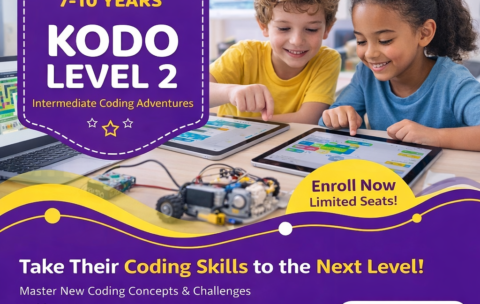
This level takes children to the next stage of game design using Kodu Game Lab, where they move beyond basic ideas and start building more structured and interactive 3D games.
Throughout this level, students create a variety of exciting game types such as racing tracks, target challenges, and exploration-based adventures. They learn how to design environments using different terrains, guide player movement, and build clear game objectives.
Children also begin to program smarter game behavior by using rules that control how characters move, react, and interact with the world around them. They explore how to combine different elements like land and water, create paths, and design levels that are both fun and challenging.
Through hands-on practice, students strengthen their logical thinking, creativity, and problem-solving skills. They learn how to plan their ideas, test their games, fix mistakes, and continuously improve their designs.
By the end of the level, children will be able to design complete 3D games with clear goals, interactive gameplay, and engaging environments, while confidently expressing their ideas through game design.
What you'll learn
This creative course introduces children to the exciting world of game design using 3D environments. Through the easy and visual platform Kodu Game Lab, students learn how to build their own interactive games while developing real programming thinking skills.
Children will design colorful worlds, create characters, and control their behavior using simple visual coding (no typing required). They will explore concepts like sequences, conditions (if/then), scoring systems, and game rules—all in a fun and playful way.
Through hands-on projects, kids improve their creativity, logical thinking, and problem-solving skills. They also gain confidence as they bring their own game ideas to life and share them with others.
By the end of the course, students will be able to design and present their own 3D games, making this a perfect first step into programming, game development, and the world of technology
Kodu Game Lab Course L1
This creative course introduces children to the exciting world of …
What you'll learn
This creative course introduces children to the exciting world of game design using 3D environments. Through the easy and visual platform Kodu Game Lab, students learn how to build their own interactive games while developing real programming thinking skills.
Children will design colorful worlds, create characters, and control their behavior using simple visual coding (no typing required). They will explore concepts like sequences, conditions (if/then), scoring systems, and game rules—all in a fun and playful way.
Through hands-on projects, kids improve their creativity, logical thinking, and problem-solving skills. They also gain confidence as they bring their own game ideas to life and share them with others.
By the end of the course, students will be able to design and present their own 3D games, making this a perfect first step into programming, game development, and the world of technology
What you'll learn
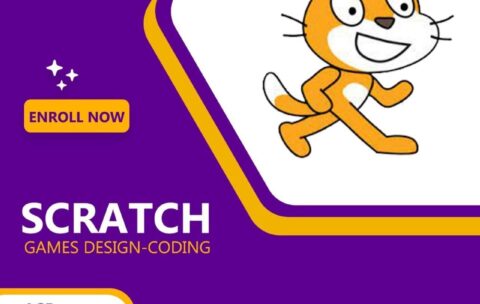
Scratch projects are made up of objects called sprites. Each sprite can have different costumes to change how it looks. A sprite can be a character, an animal, a vehicle, or anything you imagine. You can create your own costumes using the Paint Editor, upload images from your computer, or choose from the Scratch library.
In Scratch, you can also add backgrounds (called backdrops) to set the scene for your project, like a city, space, or underwater world.
You control sprites by giving them instructions. These instructions are created by snapping together colorful coding blocks to form scripts. With these blocks, you can make sprites move, talk, play sounds, respond to keyboard input, and interact with other sprites.
Scratch also lets you use simple concepts like loops, events, and conditions to make your projects more interactive and dynamic. When you click the green flag, all your scripts start running from top to bottom, bringing your project to life.
What you'll learn
Advanced Creativity and Game Design
Scratch Level 2 takes students to the next stage of their programming journey, where they build more advanced and interactive projects.
In this level, students will go beyond the basics and start creating more complex games, animations, and interactive stories. They will learn how to combine multiple sprites, control game logic, and design projects that respond intelligently to user actions.
Students will explore important programming concepts such as variables, advanced loops, conditions, and broadcasting messages between sprites. These tools help them build richer, more dynamic games with scoring systems, levels, and challenges.
By the end of the course, students will be able to design their own complete games, think like real programmers, and express their creativity through coding in a fun and engaging way.
- 1
- 2
 English
  العربية